
Workspace
A Workspace is a configurable landing page composed of widgets that consolidate information and tasks from 1 or more applications.
It lets the user monitor key workflows and complete their tasks efficiently without needing to navigate into each individual application. A Workspace serves as a central hub or a primary landing page, streamlining user interaction by presenting relevant data and actionable items in a unified view.
To learn more about Workspaces, see the Infor Industry Cloud Platform Experience Wiki. (An Infor SAAM request is required for Wiki access.)
When to Use
Follow the page layout for a Workspace to unify essential information and high-priority tasks from multiple CloudSuite applications into a single hub of widgets.
When to Use Something Else
Workspaces are specific only to Infor OS Portal. When creating a page outside of Portal, consider these other common page layouts:
- When the user needs to monitor metrics or perform simple tasks for only 1 application, use a dashboard page layout.
- When the user needs to manage large sets of data in a tabular format, use a data grid view page layout.
- When the user needs to browse a list of items and see their specific details side by side, use a list and details page layout.
Components
Workspaces are composed of multiple widgets. Widgets are built with components.
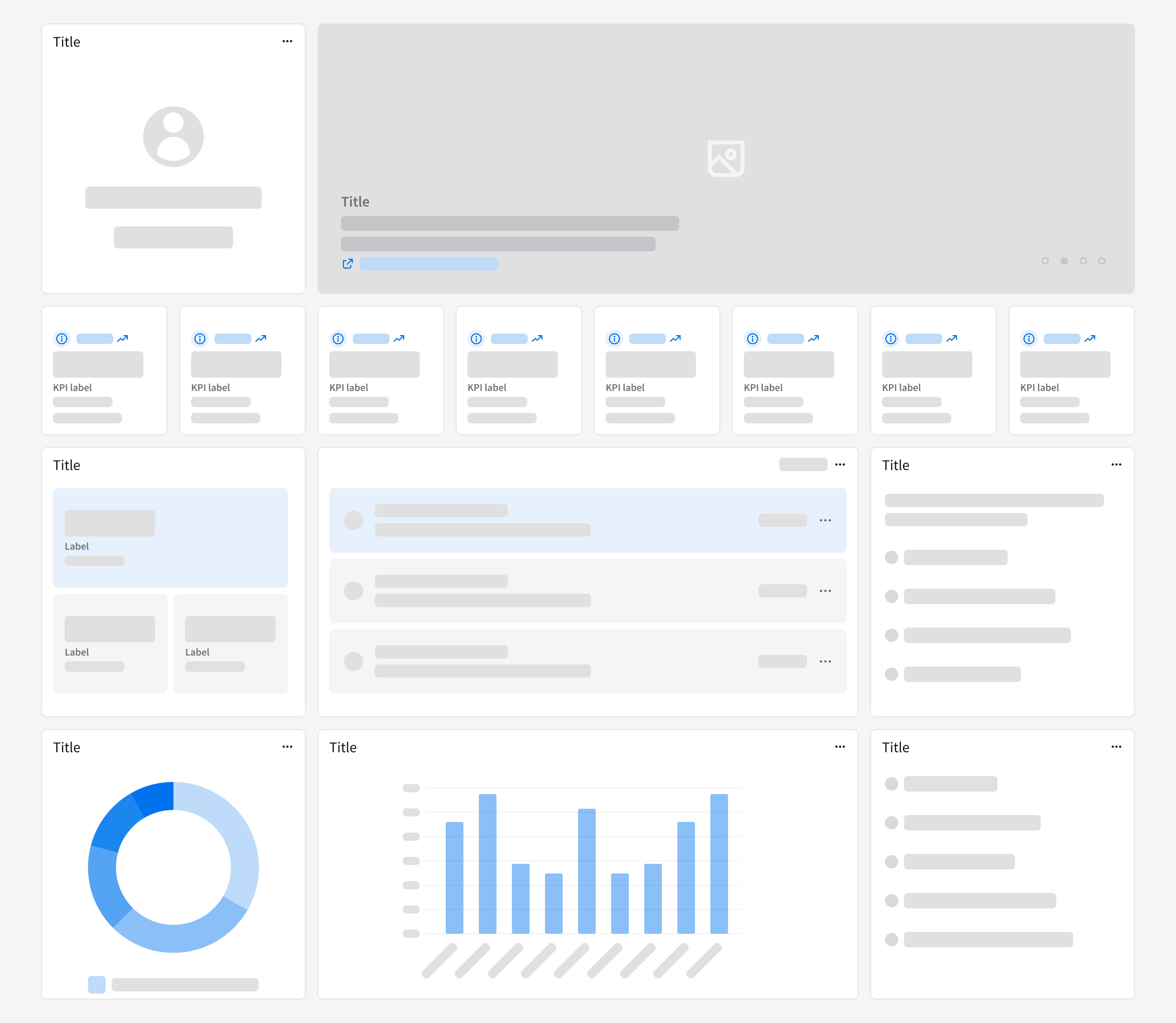
A widget can leverage most IDS components—the most common ones include:
- Avatar: Used to visually identify a user or an entity.
- Icon: Represents an object, action, or concept, designed for quick recognition and easy interaction.
- Image: Manages placeholder images and empty states, and supports various sizes.
- KPI: Displays key quantitative metrics, showing statuses or trends.
- Listview: Displays a set of related data objects and their attributes in a list format.
For in-depth content guidelines for Workspaces—including common widgets and how best to utilize specific IDS components—see the Infor Industry Cloud Platform Experience Wiki.
Responsiveness
The page layout for a Workspace is responsive, ensuring that widgets remain legible and actionable across all breakpoints.