
Profile Record
A profile record presents the user with details about any type of entity—such as parts, products, customers, employees, suppliers, or vendors—making it adaptable across various industries.
While the specific fields within each section will vary depending on the entity and industry, the overall structure is widely applicable and supports a consistent user experience in diverse contexts.
When to Use
Follow the page layout for a profile record when the user needs:
- Comprehensive information about a single entity—a person, product, or company—that’s presented in a clear and organized way.
- To quickly identify, review, and act on key details about the entity as part of their workflow.
- To perform contextual actions (like editing, contacting, or initiating processes) directly from the profile record page.
Key Sections
A typical profile record has 3 sections of content:
- Header area
- Primary information
- Secondary information
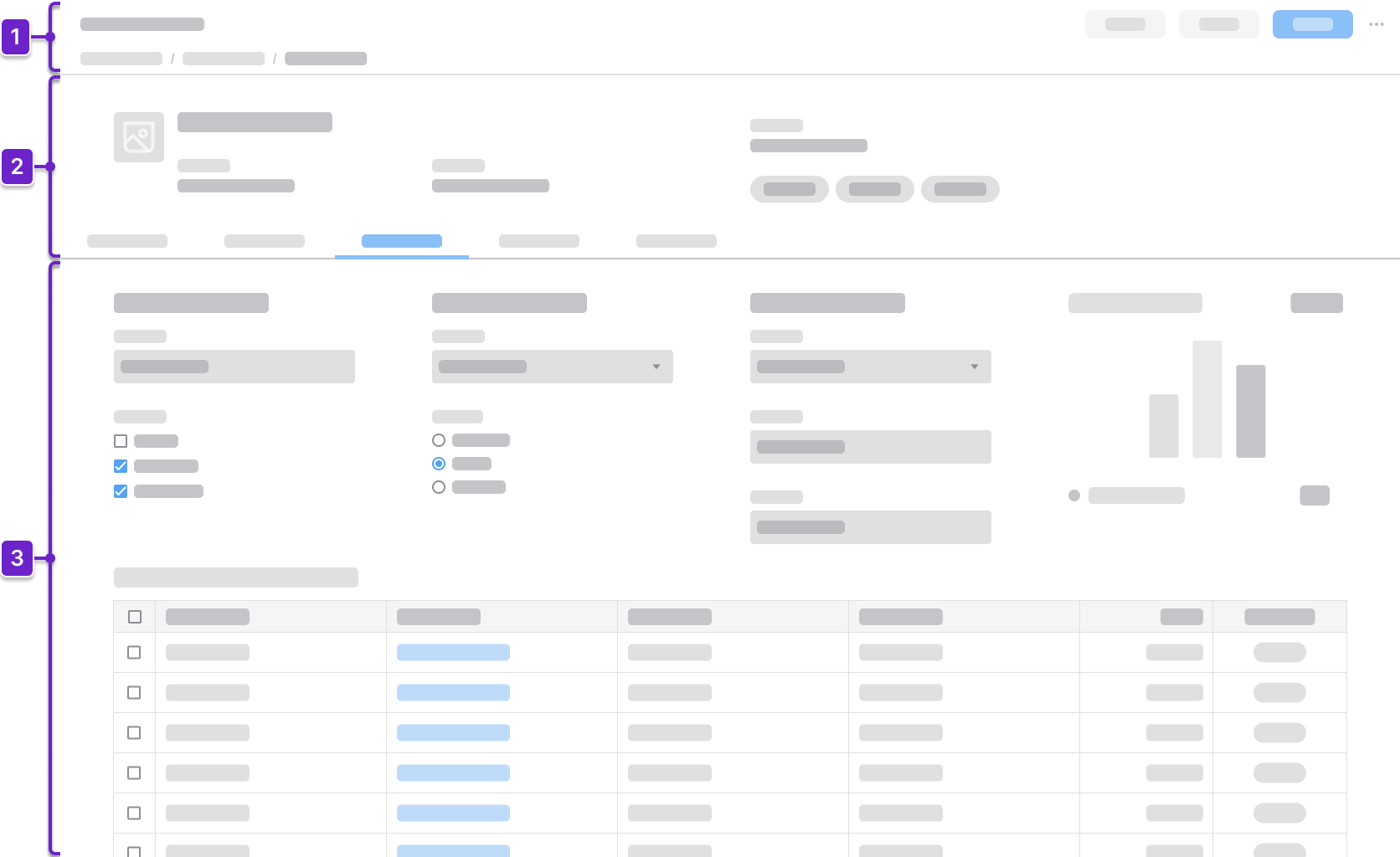
1. Header Area
Tells the user where they are within the application and provides context about what’s on the page. This generally includes the page title and actions. It could also include a breadcrumb.
2. Primary Information
Highlights key identifying details that provide a quick overview of the profile record. This helps the user recognize and understand the essential identity of the person, customer, vendor, or product.
For people or company profile records, primary information may include:
- Image or avatar
- Full name or company name
- Job title or role
- Employee or contact ID
- Contact information
- Status
For product or item profile records, primary information may include:
- Image or thumbnail
- Product, part, or item name or title
- SKU or item ID
- Description
- Status (active, draft, or discontinued)
- Brand or manufacturer
3. Secondary Information
Offers additional context to help the user make decisions and take action in their workflow. When there’s a large amount of information, additional navigation can be used to group this content.
The primary information remains fixed above the secondary information. For example, the secondary information on a product or item profile record page may include:
- Production line
- Plant or warehouse location
- Inventory levels
- Alternate suppliers
Components
IDS components can help you build a profile record page. The structure of the page will depend on how much information the user needs to see. Here are some components to consider:
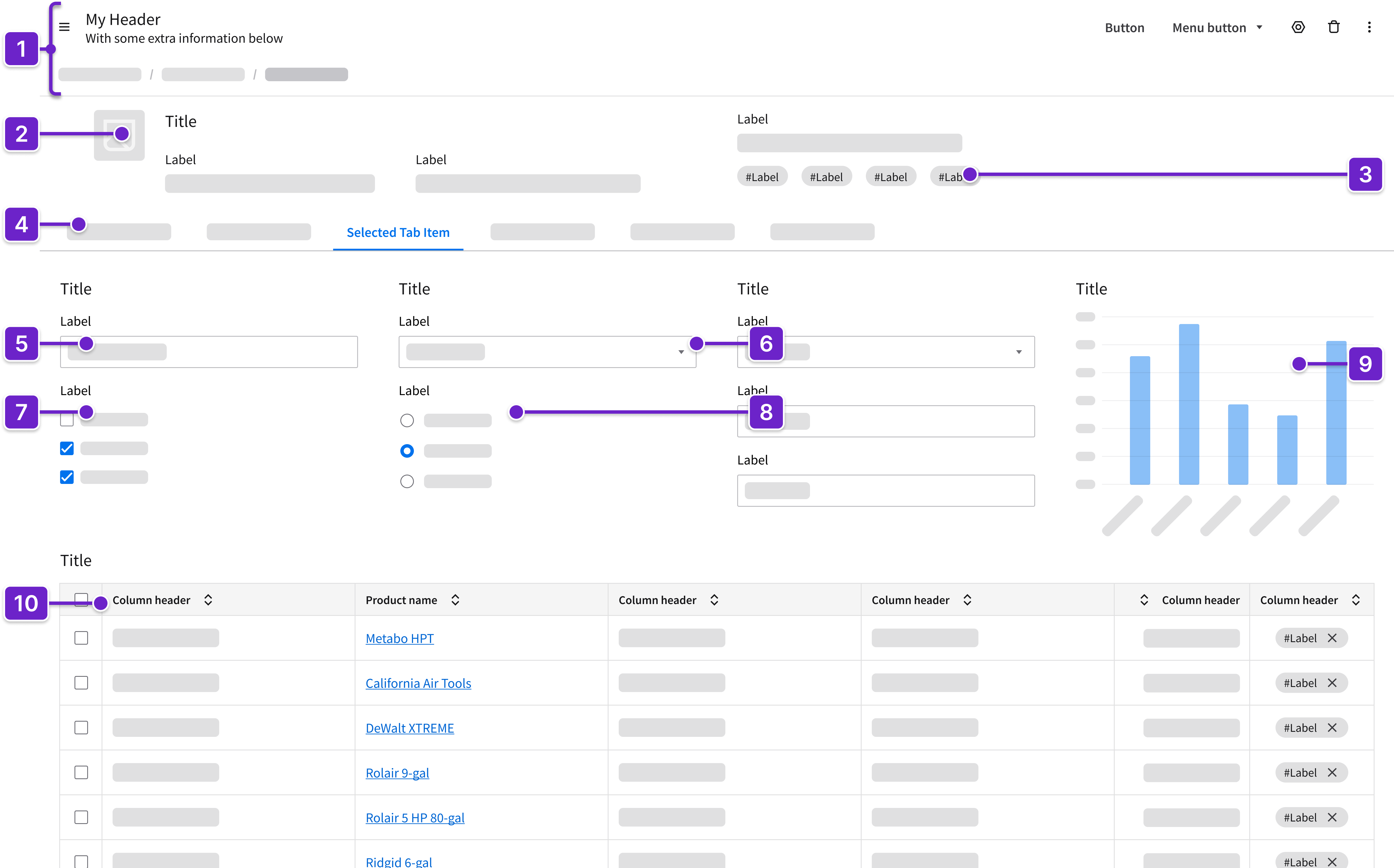
- Header
- Can include breadcrumbs and a toolbar with action buttons that are specific to the page.
- Image
- For user and company profile records, this is generally a thumbnail image of a company logo or photo.
- For a product page, this could be a larger product image or a circle pager (also referred to as a carousel).
- Tag
- Status or categorization
- Tabs
- Organize and display content in separate, easily navigable sections within the page.
- Clearly label each tab to ensure that the user has context as they navigate.
- Fieldset (read only or editable)
- Groups related form fields.
- Dropdown
- Provides a compact way for the user to select from a defined list of choices.
- Example: Status or category
- Provides a compact way for the user to select from a defined list of choices.
- Checkbox
- Allows the user to select 1 or more options, actions, or settings.
- Example: Preferred supplier
- Allows the user to select 1 or more options, actions, or settings.
- Radio
- Allows the user to select a single option from a set.
- Example: Active or inactive
- Allows the user to select a single option from a set.
- Data visualizations (charts, KPIs, or counts)
- Display key metrics at a glance.
- Data grid
- Displays records in a tabular format.
- May have the ability to sort and filter columns.
- When rows are selected, additional actions may appear.
- Can support row selection for batch actions.
- Can include inline editing, fieldsets (read only or editable), dropdowns, tags, and icons.
- May show additional information with expandable rows or embedded components.
Example
This is a hi-fi example of a profile record designed using IDS components. Use it as a guide for designing your own page. This layout is available in Figma in the IDS Patterns Library.
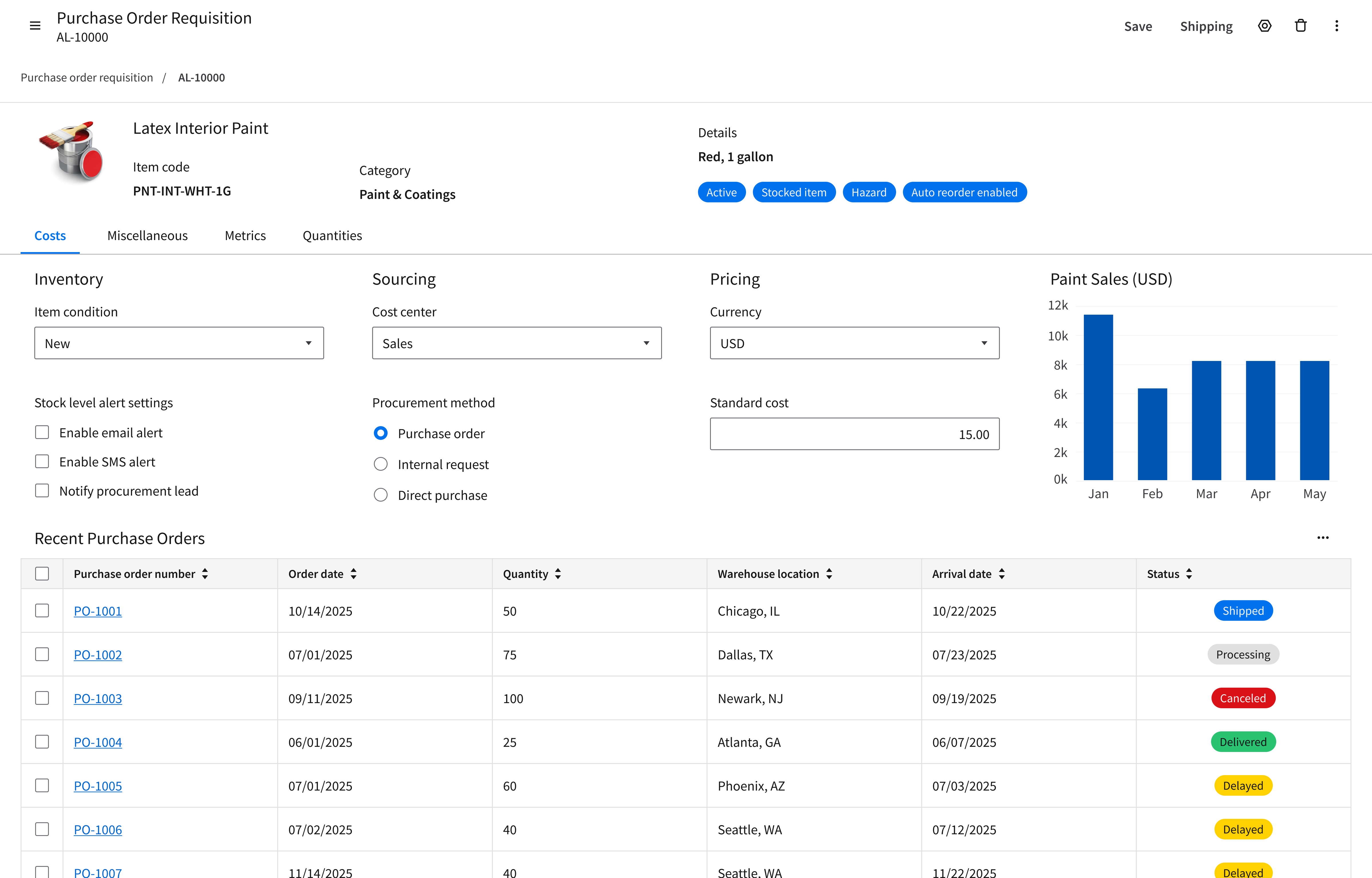
Refer to this library to see examples of profile records that are being used in the CloudSuites today. (For internal reference only. An Infor SAAM request is required for Wiki access. Updated March 2026.)
Responsiveness
The page layout for a profile record is responsive and supports all Infor screen sizes from XXL (>2560 pixels wide) to XS (360–574 pixels).
XXL
>2560 pixels
Use a fixed, centered 4-column grid.
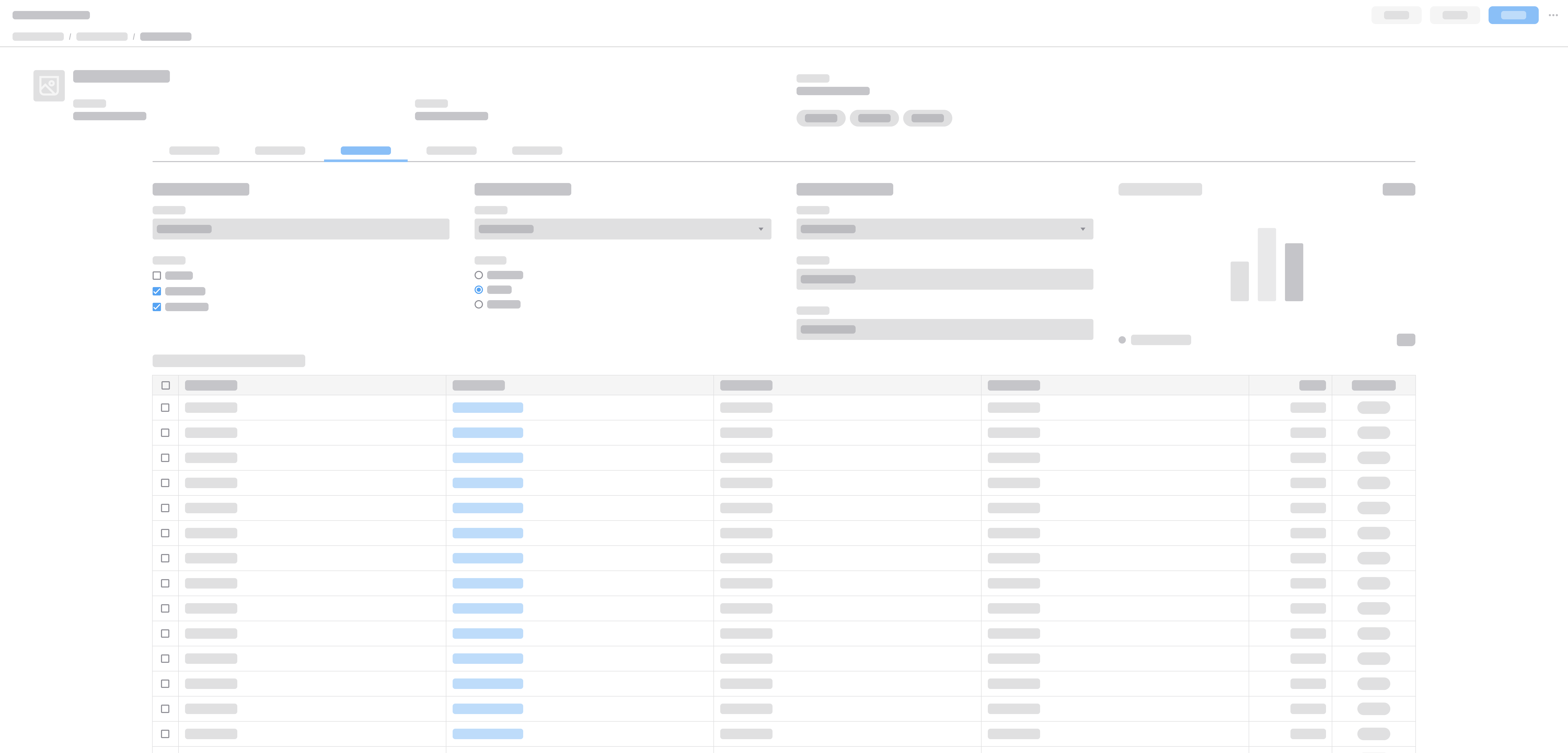
XXL with a fixed, centered 4-column grid.
XL
1280–2560 pixels
Use a fluid 4-column grid.
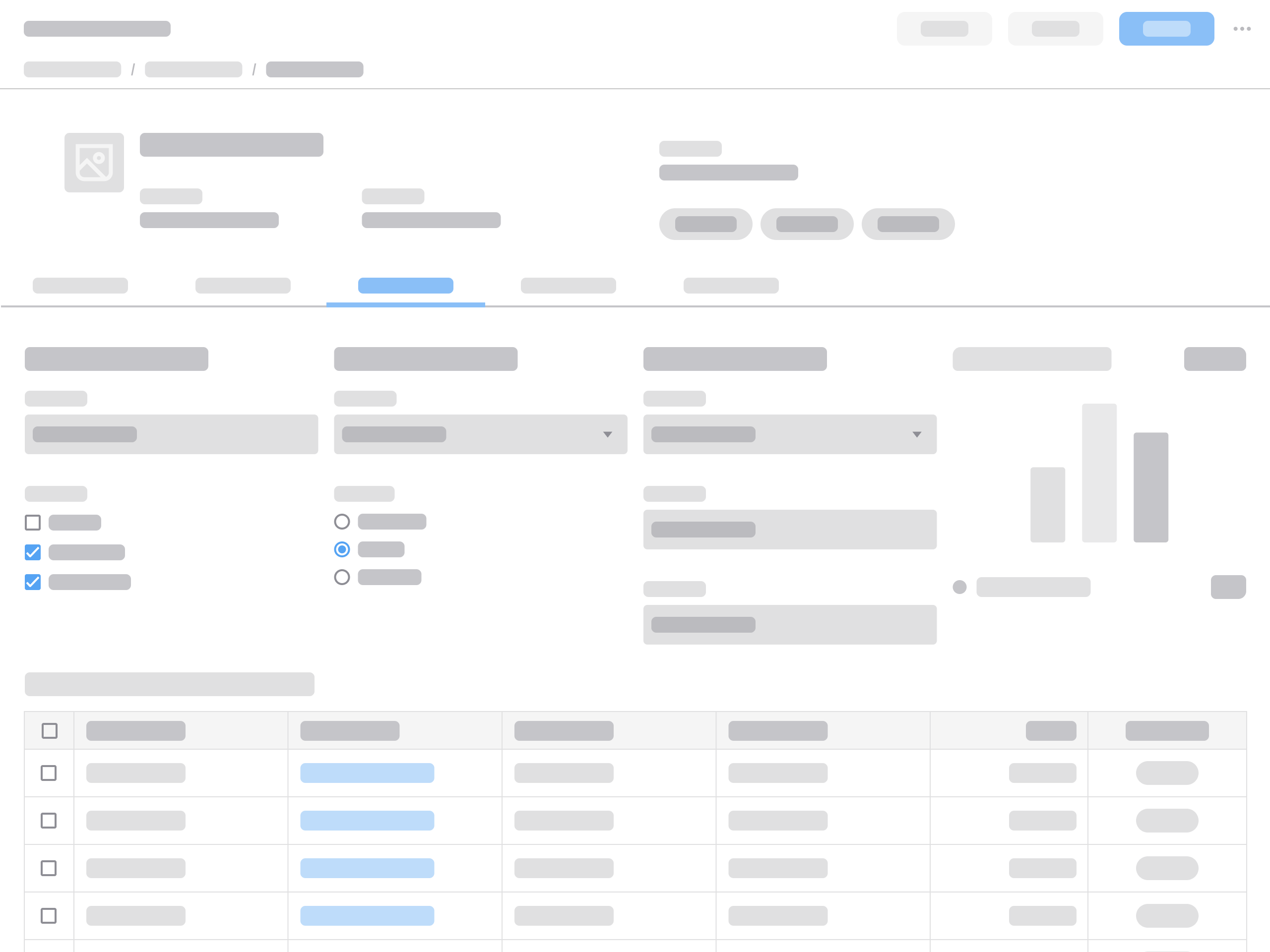
XL with a fluid 4-column grid.
L
1024–1279 pixels
Use a fluid 2-column grid or a fluid 3-column grid, depending on the content.
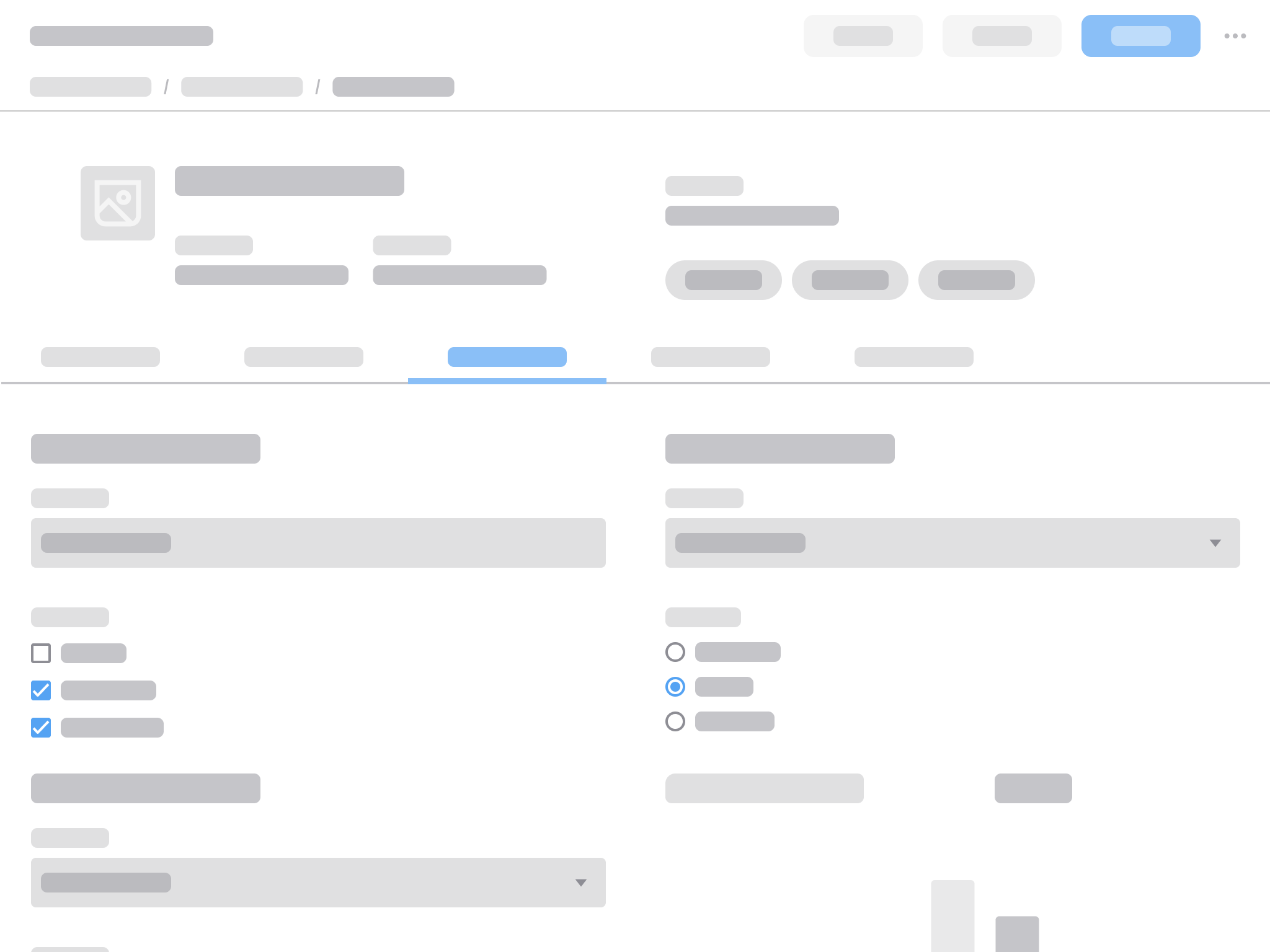
L with a fluid 2-column grid.
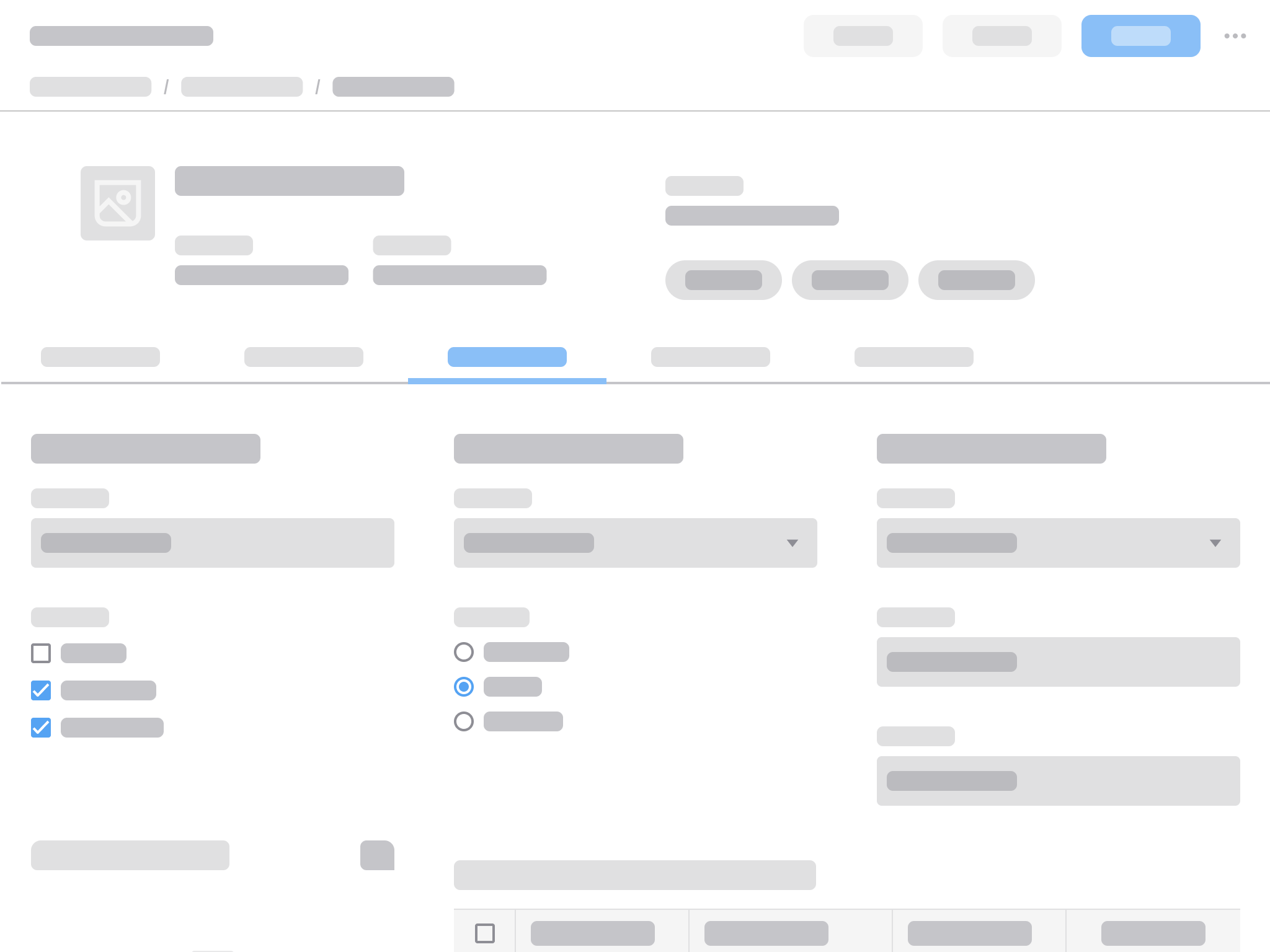
L with a fluid 3-column grid.
M
768–1023 pixels
Use a fluid 2-column grid.
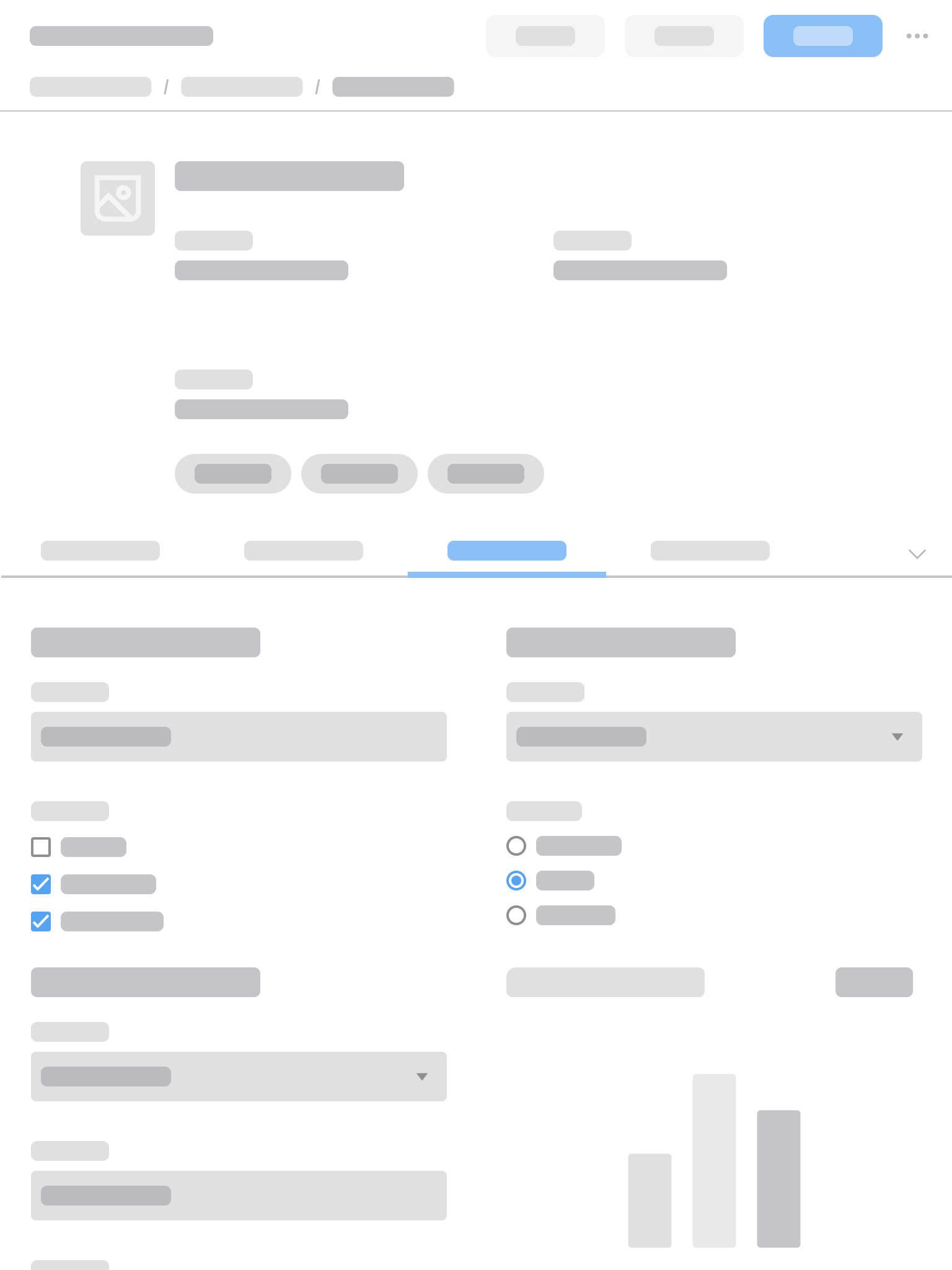
M with a fluid 2-column grid.
S
575–767 pixels
Use a fluid 2-column grid.
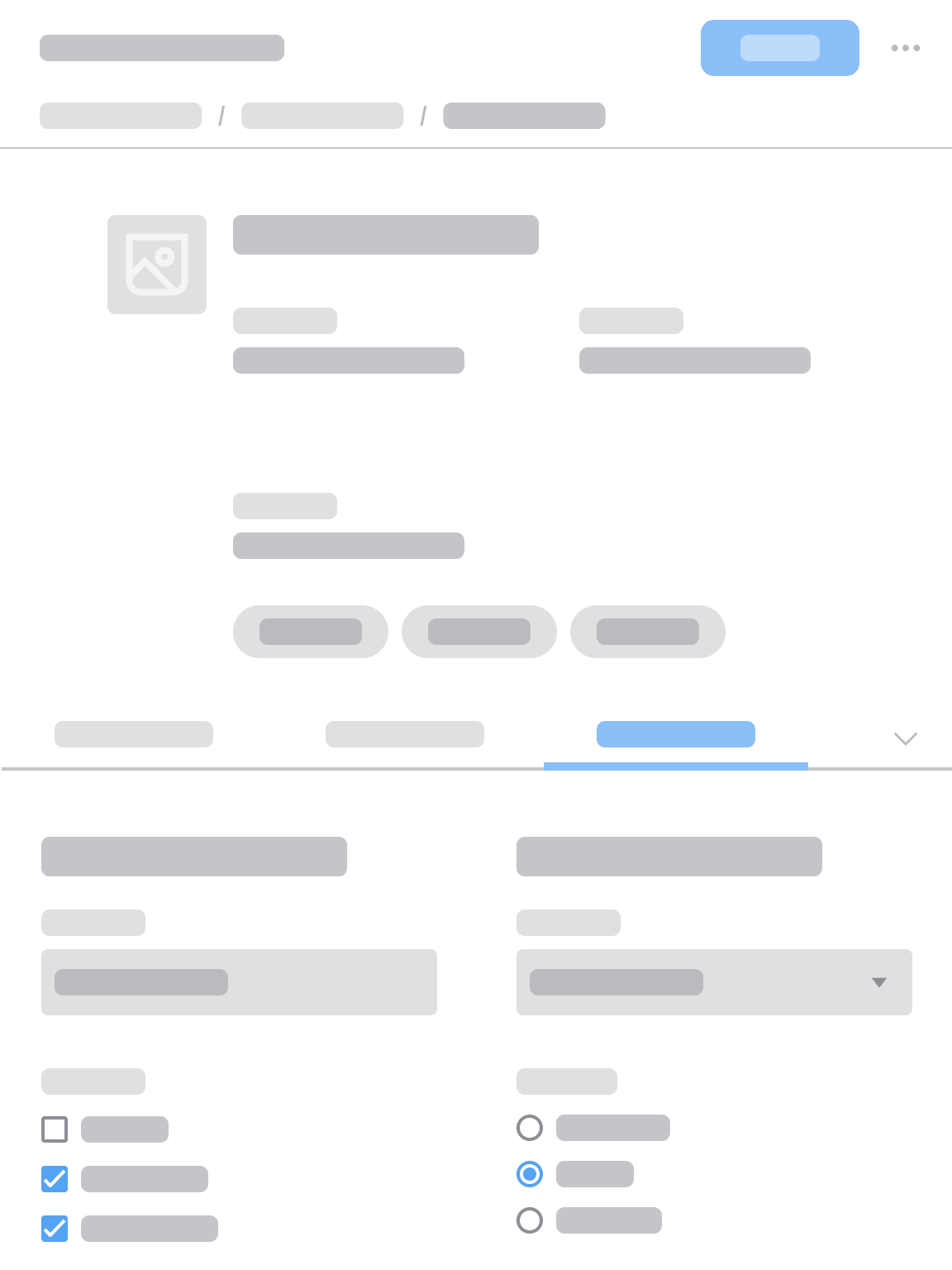
S with a fluid 2-column grid.
XS
360–574 pixels
Stack the content in a single column.

XS with a fluid 1-column grid.