
New Design Documentation and UX Writing Guidelines
Design | May 2026
See below for the latest documentation updates, reflecting options/variants, behavior/interaction, visual examples, and dos/dont’s. These updates are ongoing—stay tuned as new guidelines are published!
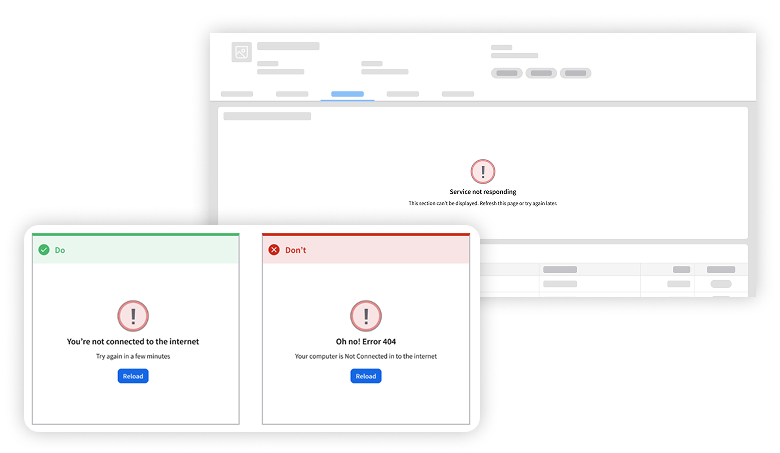
Error Interaction Pattern
A well-handled error clearly communicates what went wrong, why it happened, and what’s next. These guidelines cover 3 common use cases: Background system issues, validation errors, and workflow interruptions.
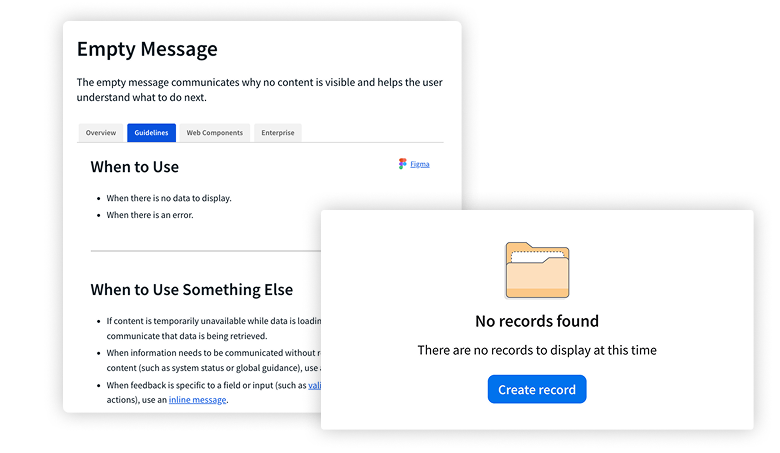
Empty Message
Use an empty message—comprised of an icon, a title, and a description—to tell the user why content is missing and what their next step is.
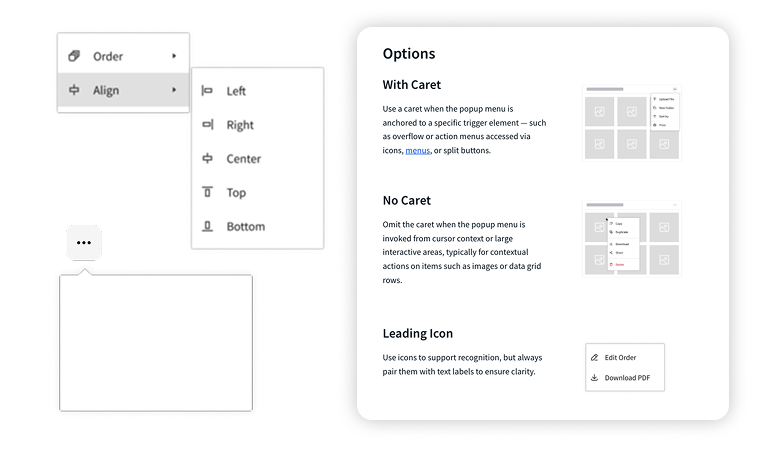
Popup Menu
After clicking a trigger item, a popup menu gives the user access to a set of contextual actions. Now included on the “overview” tab are 4 popup menu options and interaction details.
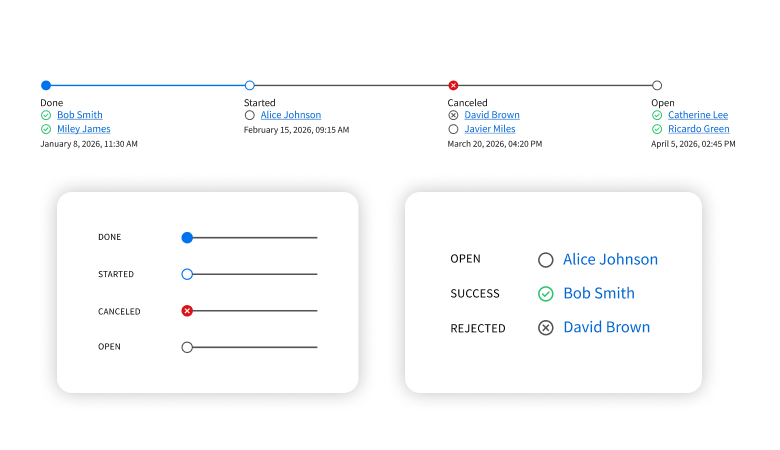
Process Indicator
Use a process indicator to help the user know how close they are to completing a task. The usability guidance now includes visual examples of step indicators, status icons, and line indicators.
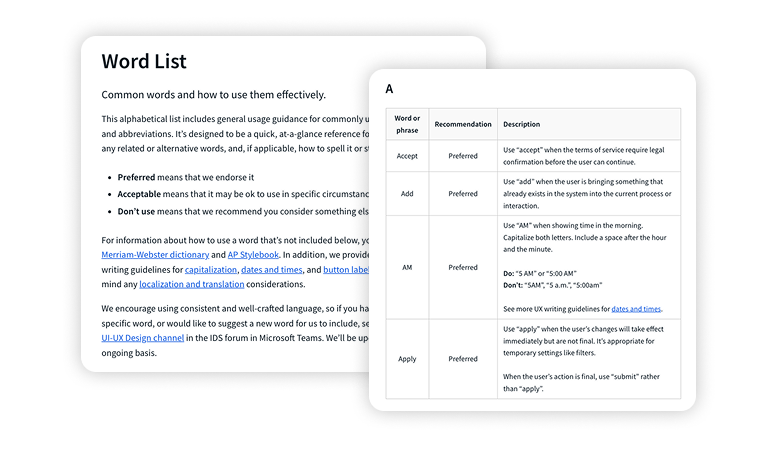
Word List
The latest additions include recommendations for “acknowledge”, “import”, “retry”—and 12 more words. Have a new word for us to include? Send us a message in the UI-UX Design channel in the IDS forum in Microsoft Teams.