
Organizing 4 Common Types of Pages
UX Tip | Page Layouts
When designing a page, it’s crucial to prioritize the content for the user. Put the most important content in the top-left corner, flowing down and right. It should follow a natural reading pattern, like the shape of an F or a Z. Here are some more tips from our new guidelines for page layouts.
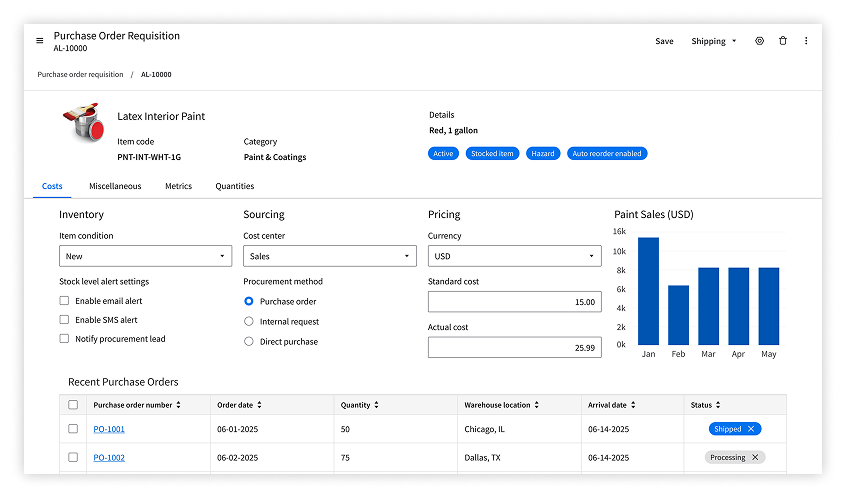
Profile record: Highlight key identifiers about the person, customer, vendor, or product—such as their name or product code. Secondary information goes below.
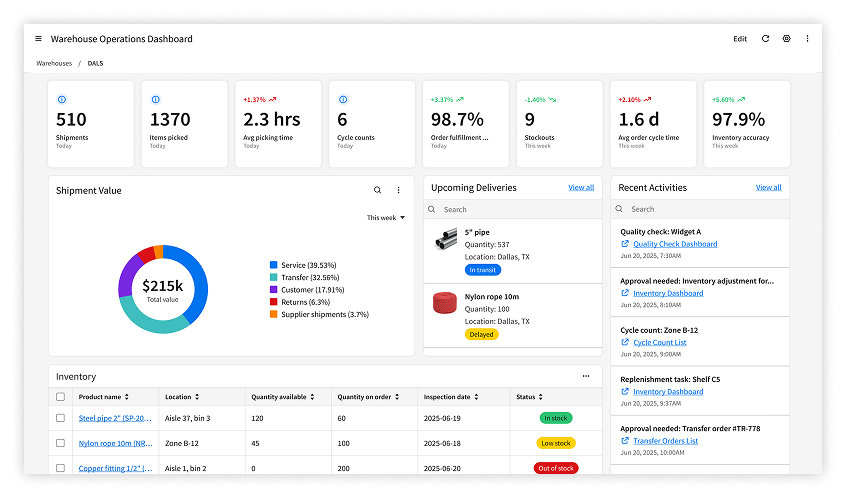
Dashboard: Prominently display the KPIs that are most important to the persona. For an inventory manager, for example, that may include shipment statuses, open tickets, and picking time.
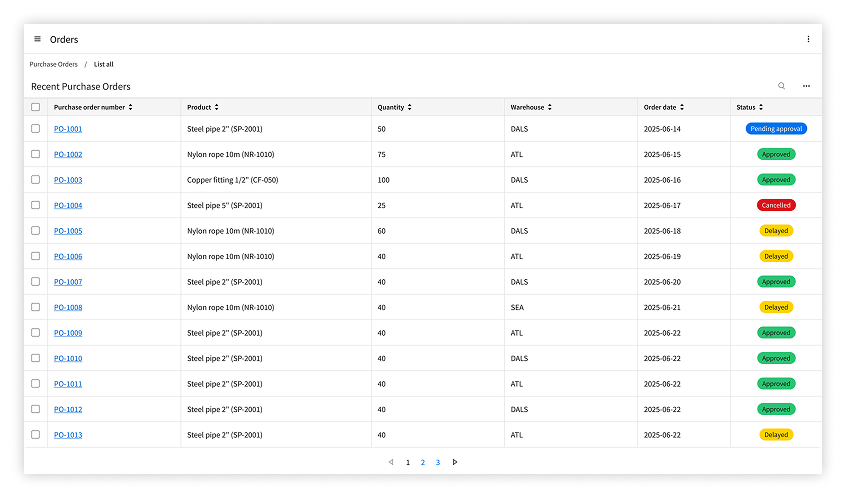
Data grid view: Order columns by their importance from left to right. Start with the unique ID, followed by descriptive text, then information like quantities, dates, and locations.
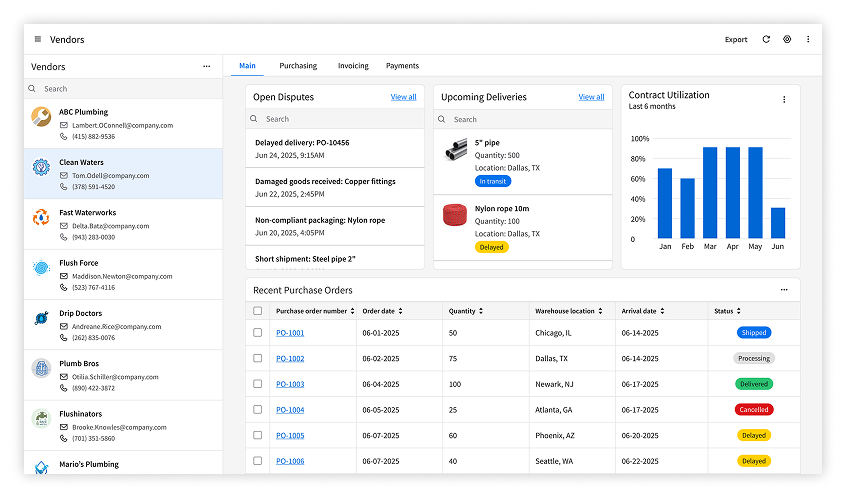
List and details: Organize the list alphabetically or by recency. Align the details with the profile record, dashboard, or data grid view, as applicable.
Check your content by walking through the user’s workflow: Did you include only necessary actions? Use processes from the Industry Process Catalog, if helpful. And be sure to get feedback from users—try a usability test!